Extensions / VS Code / Branchflow for Git

Branchflow for Git
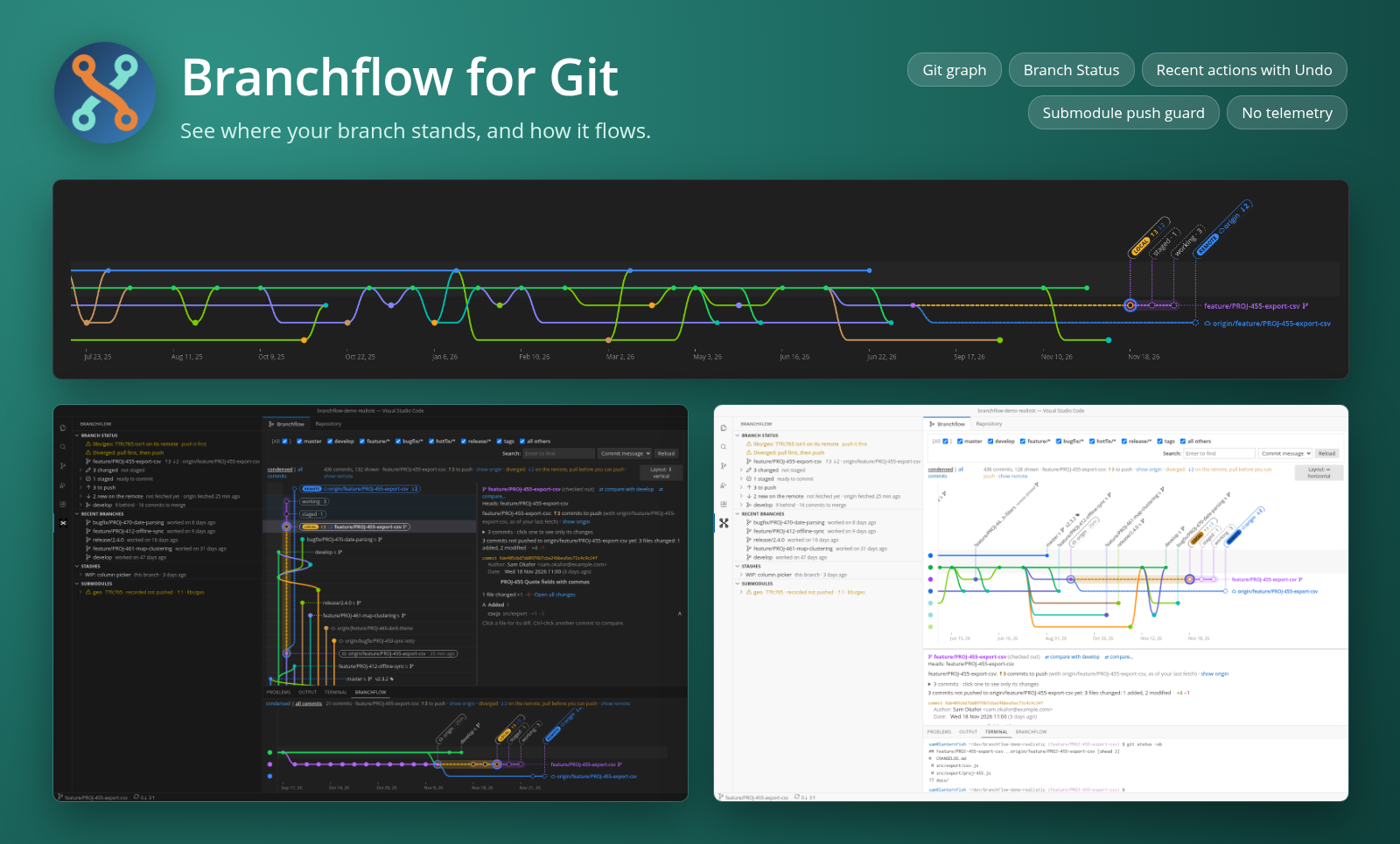
See where your branch stands, and how it flows. A Git graph and branch status for VS Code: every branch in its own lane, master and develop pinned on the left, and a sidebar that shows where your branch stands, from the files you're editing to the commits on the remote.
What it does
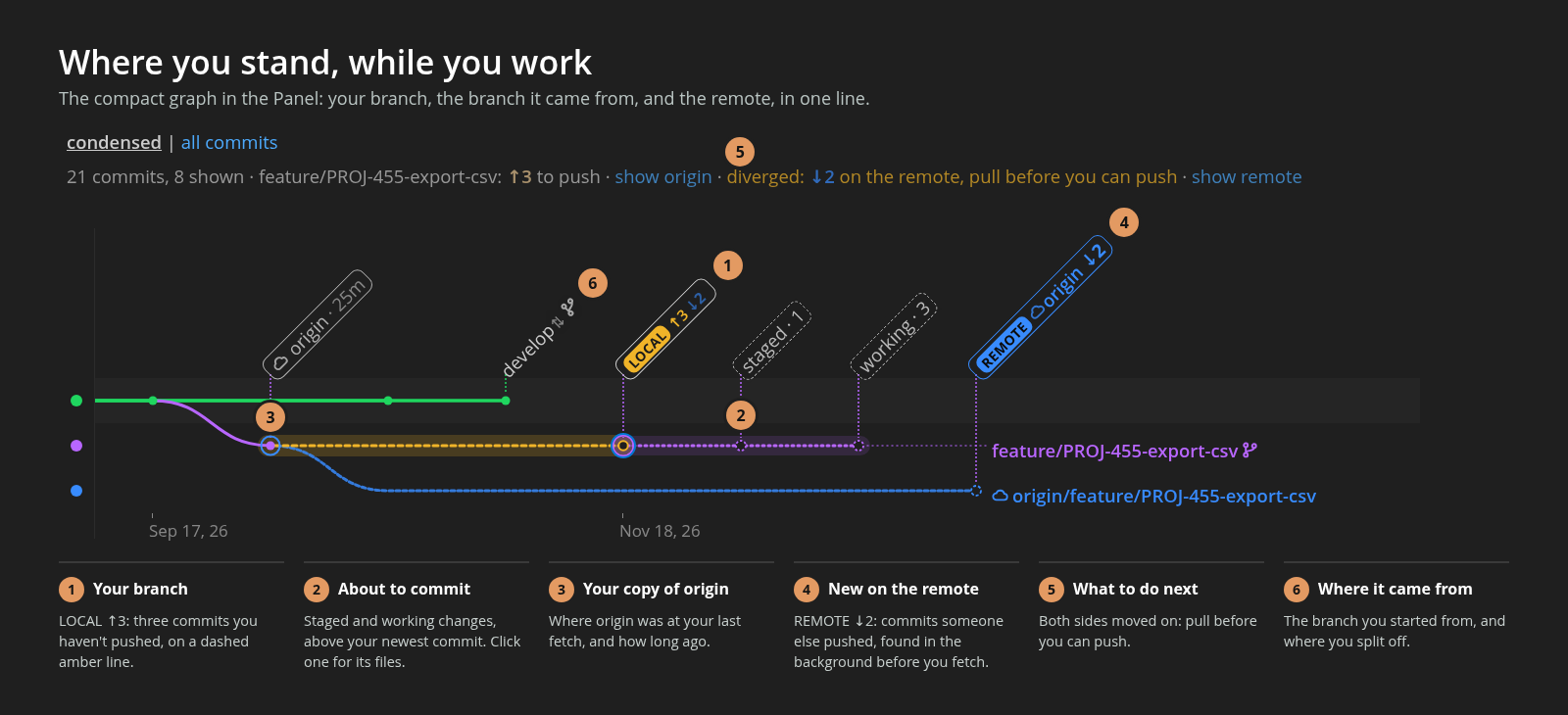
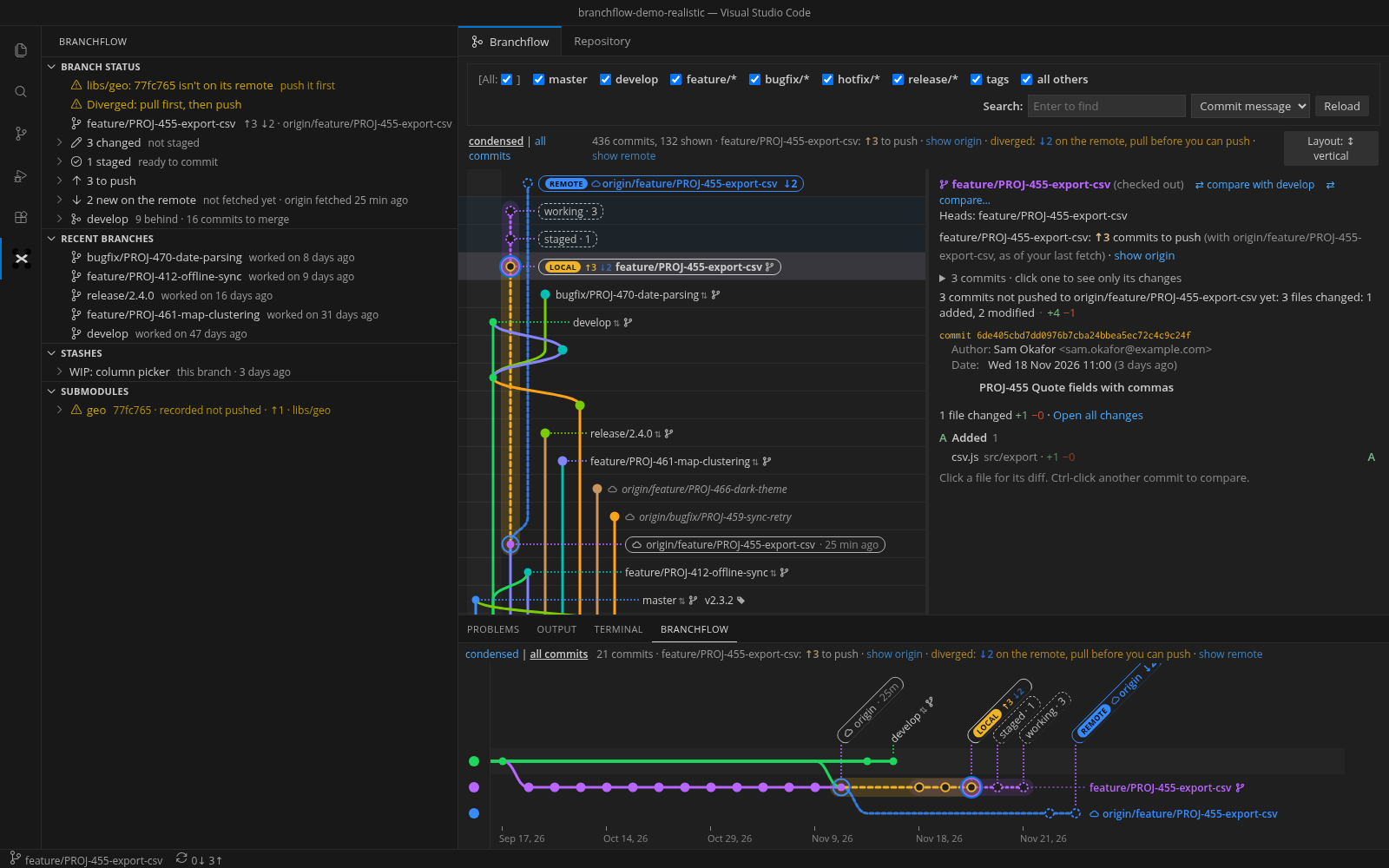
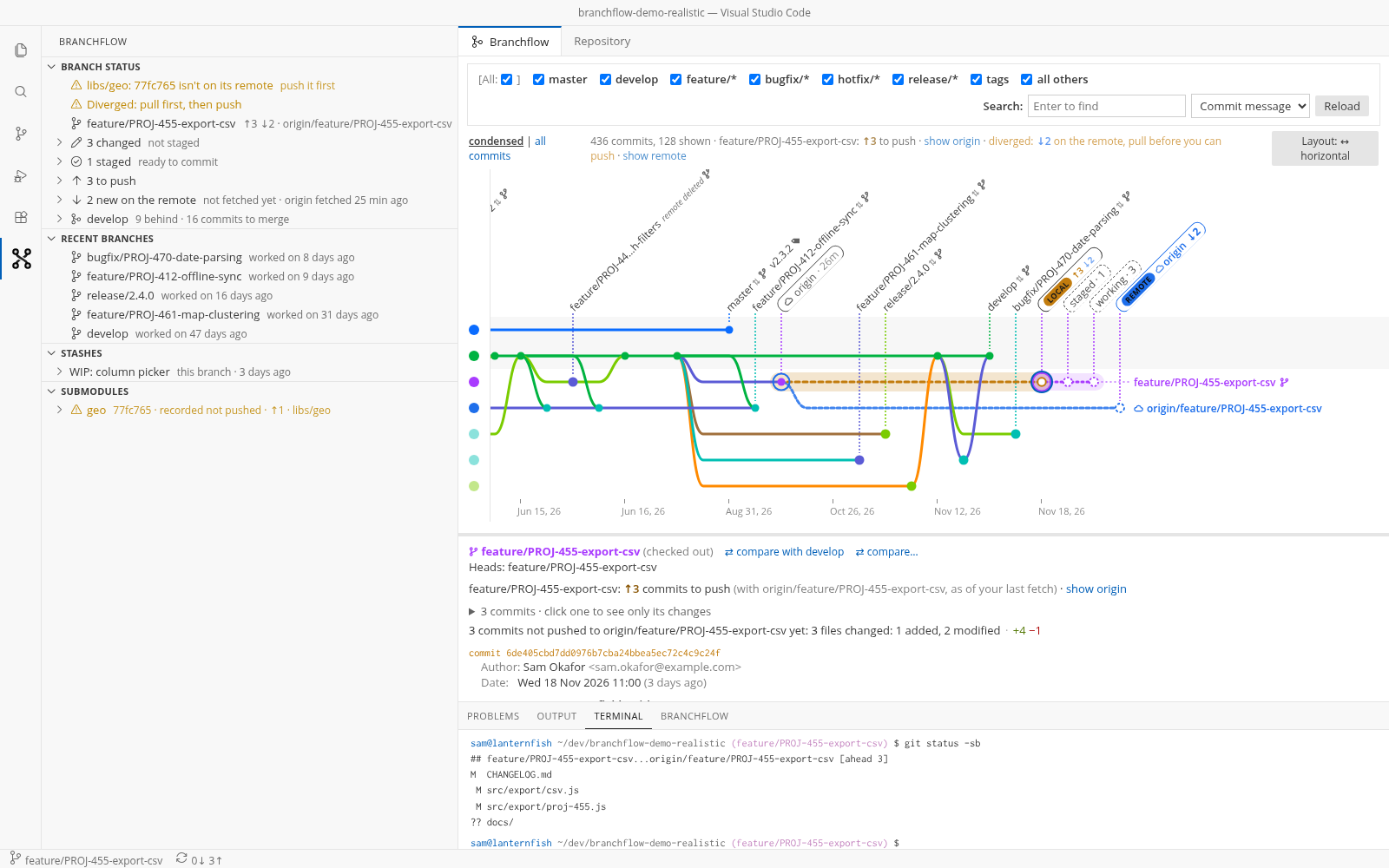
Branch StatusWhere the checked-out branch stands, one line each: changed, staged, to push, new on the remote, and how far behind its base. Problems first, in the warning colour.
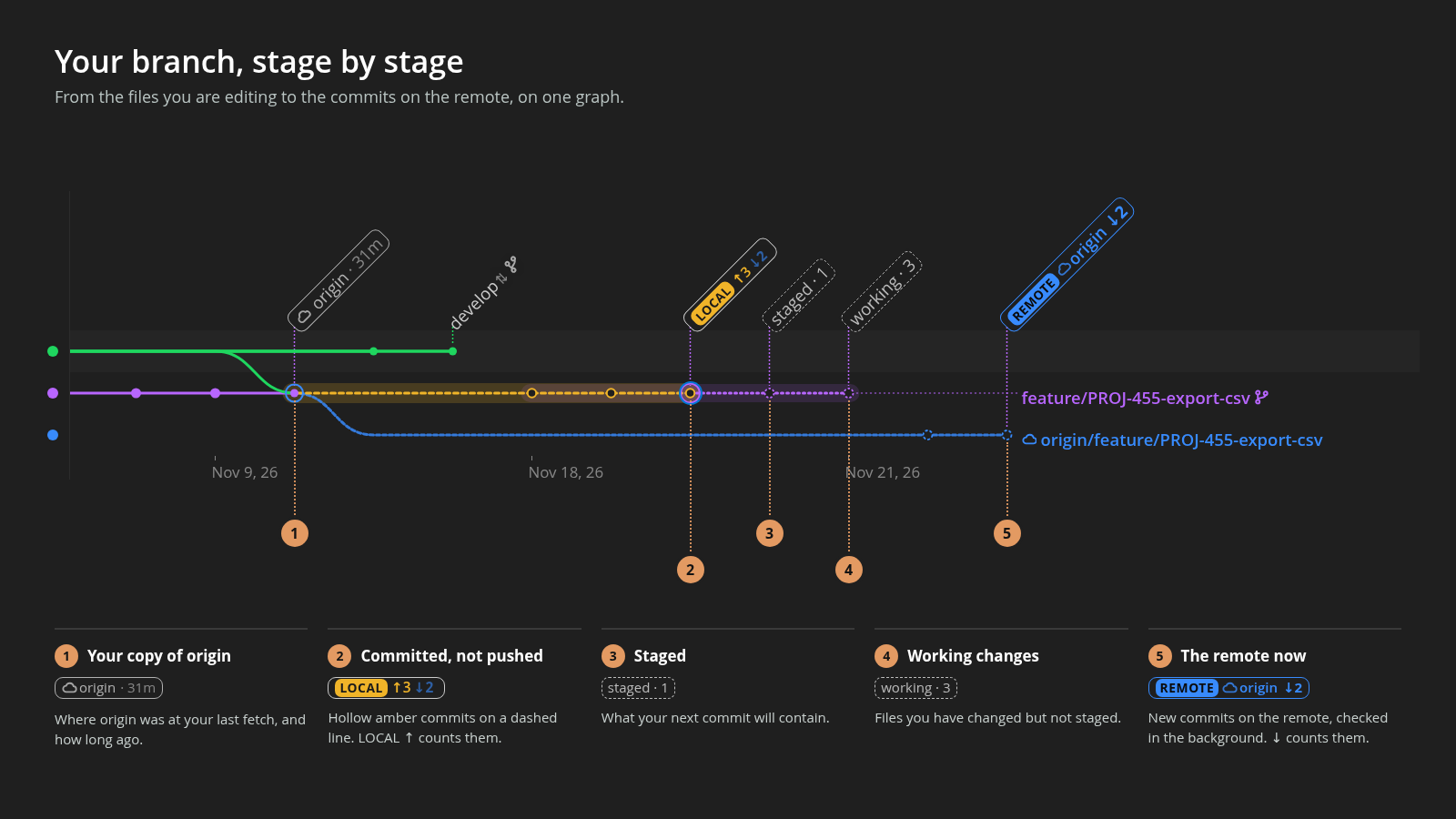
Your branch, stage by stageWorking and staged changes drawn above your newest commit, and new commits on the remote drawn as a branch of their own, checked with your own git.
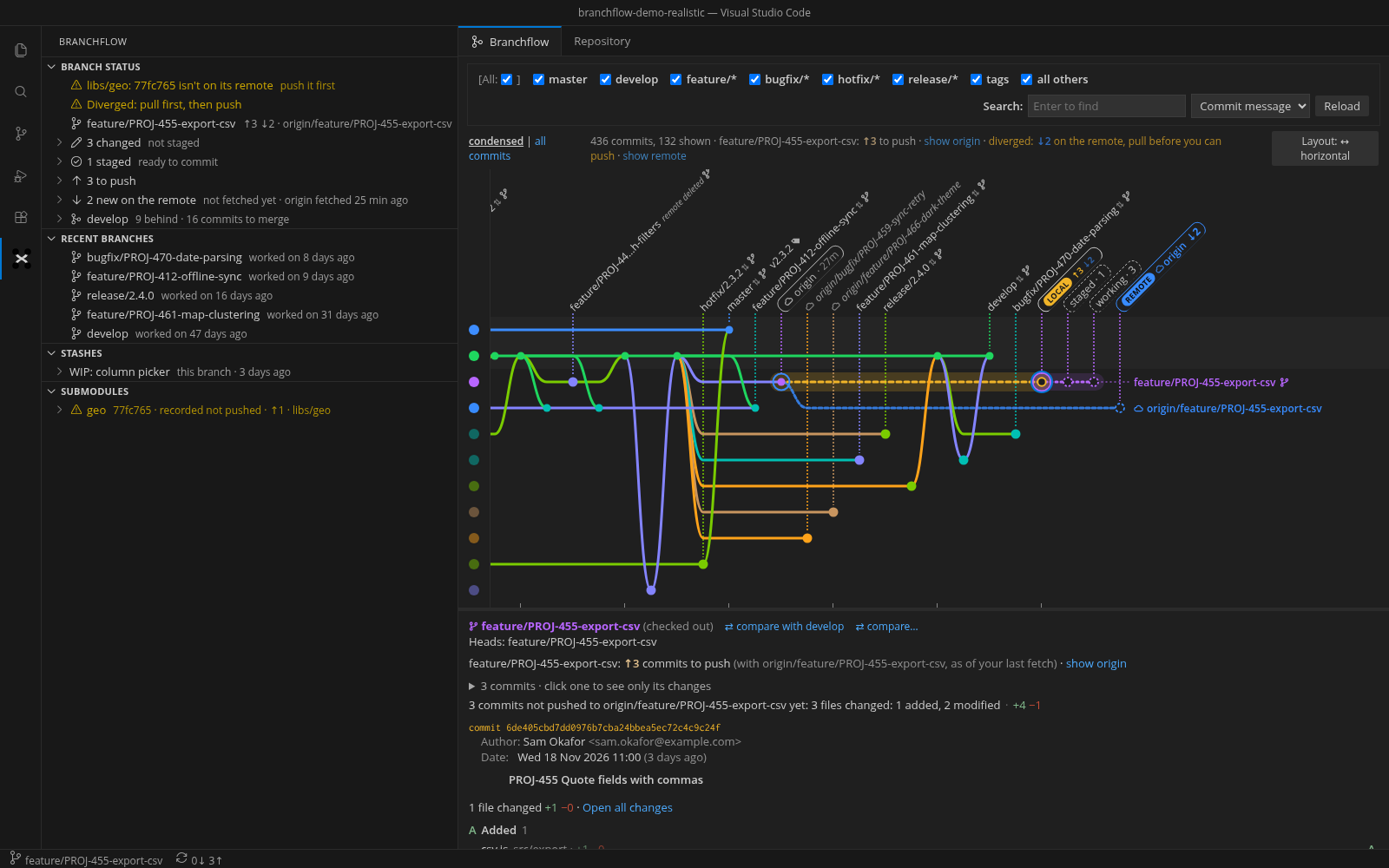
A graph you can read at a glanceThe condensed view shows branch tips, tags, merges and where branches split. master and develop always run down the first two lanes. All commits is one click away.
Vertical or horizontalThe Branchflow tab turns either way, with the selected commit in full beside or below it. Search matches are marked.
Your branch in the PanelA horizontal strip of your branch, the branch it came from and the branches that share its commits, in view while you work.
Recent actions, with UndoWhat you did in git, in plain words, with Undo and Switch back. Commits no branch points to can be restored as a branch.
The Repository pageLog, branches with upstream and ahead / behind, recent actions, ignored files with the rule for each, attributes and hooks.
SubmodulesEach submodule against the commit the repository records and against its remote, with a warning before you push a commit its remote doesn't have.
Compare branchesCompare any branch or commit with another: changes since the split, like a pull request, or between the tips. Every file one click from its diff.
No telemetry, no accountReads your repository with your own git and sends nothing to Coppersail or anyone else. Its only connection is git's own, to your remote, and you can turn it off.
Screenshots
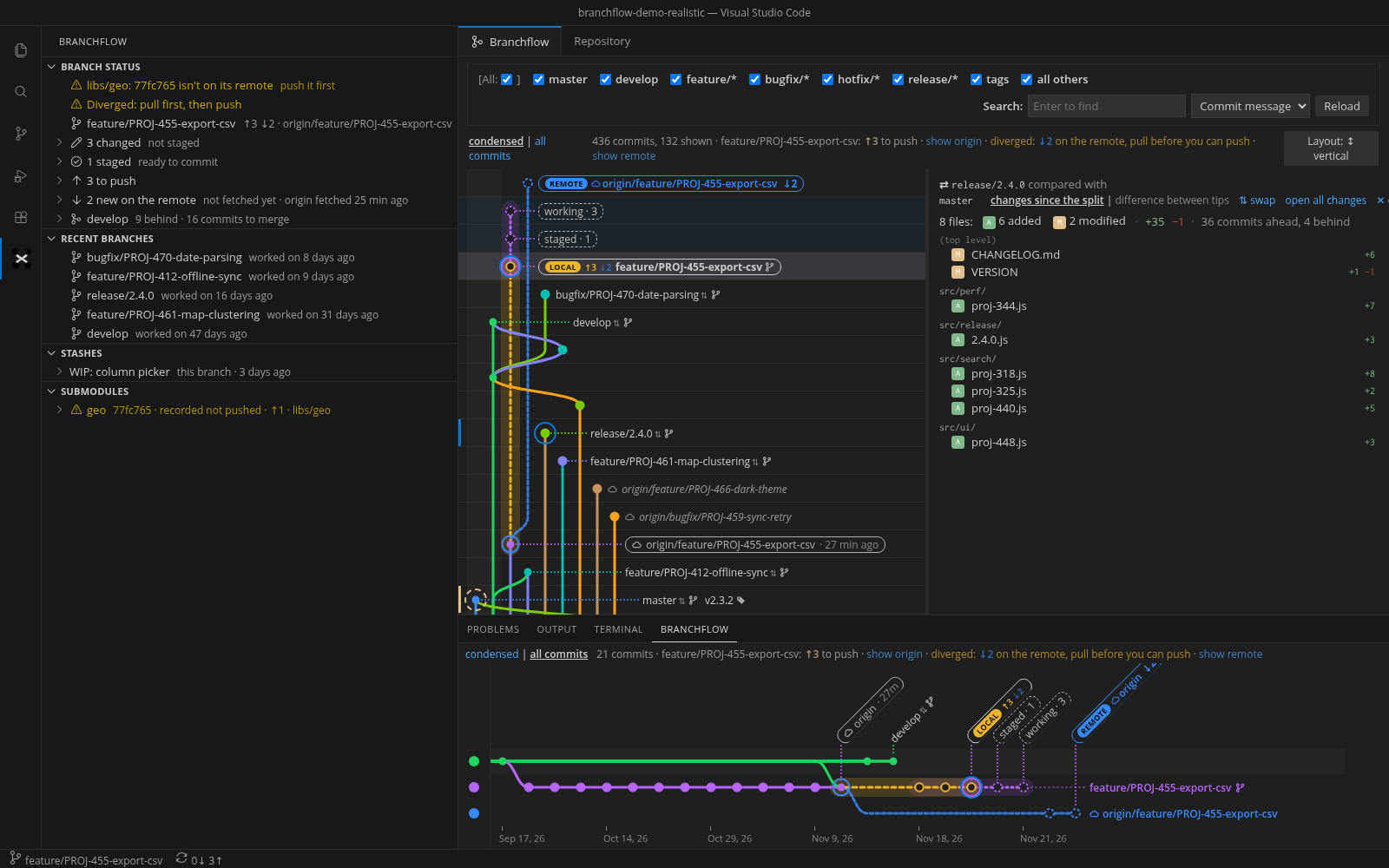
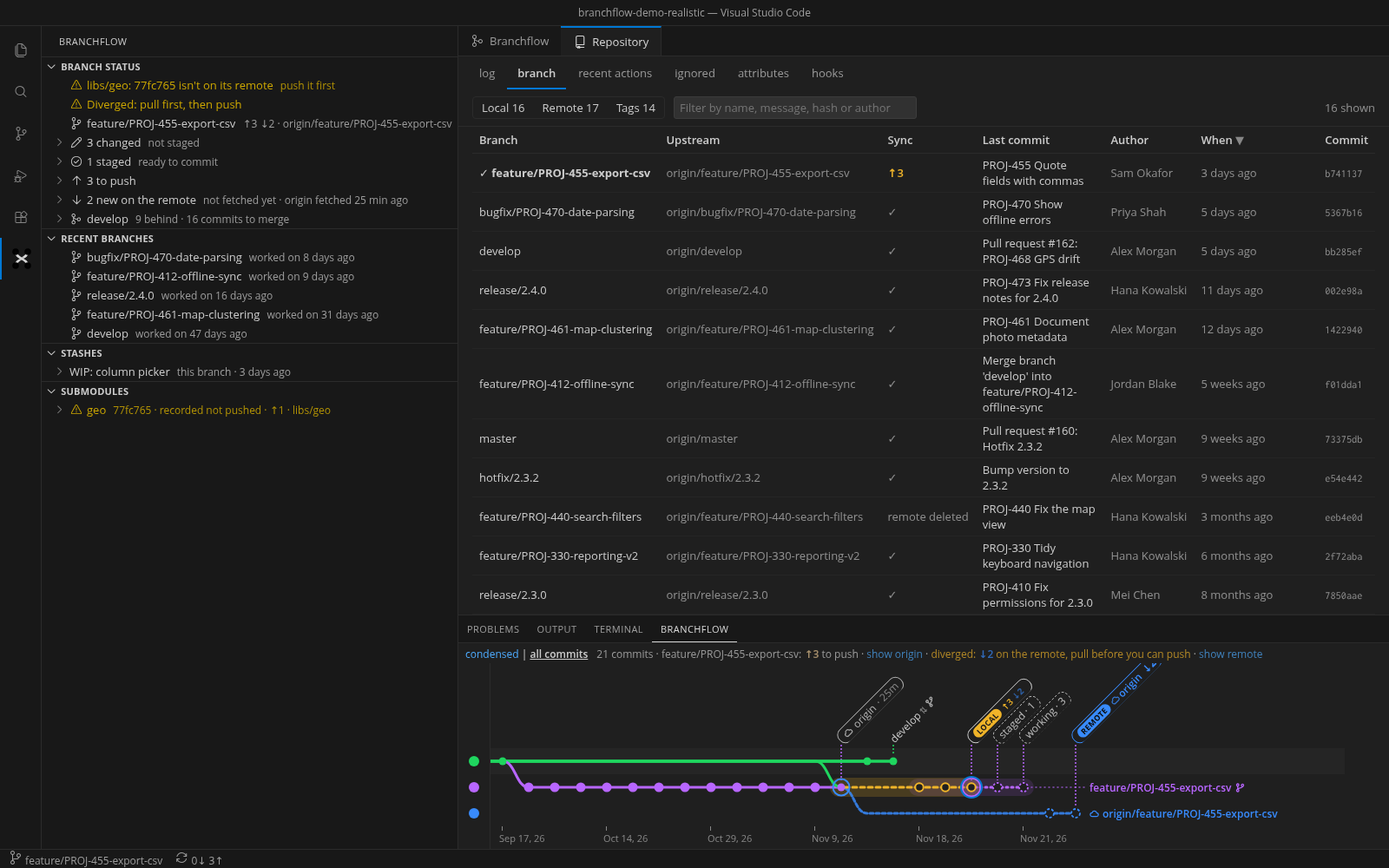

The Repository page
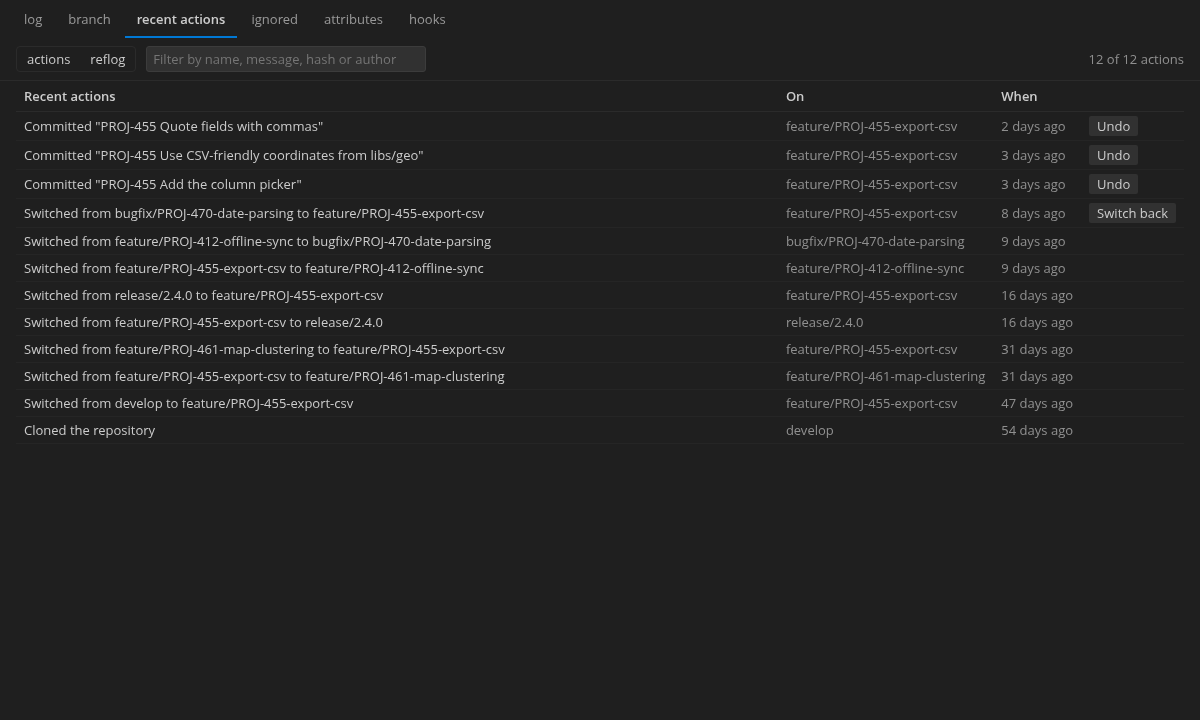
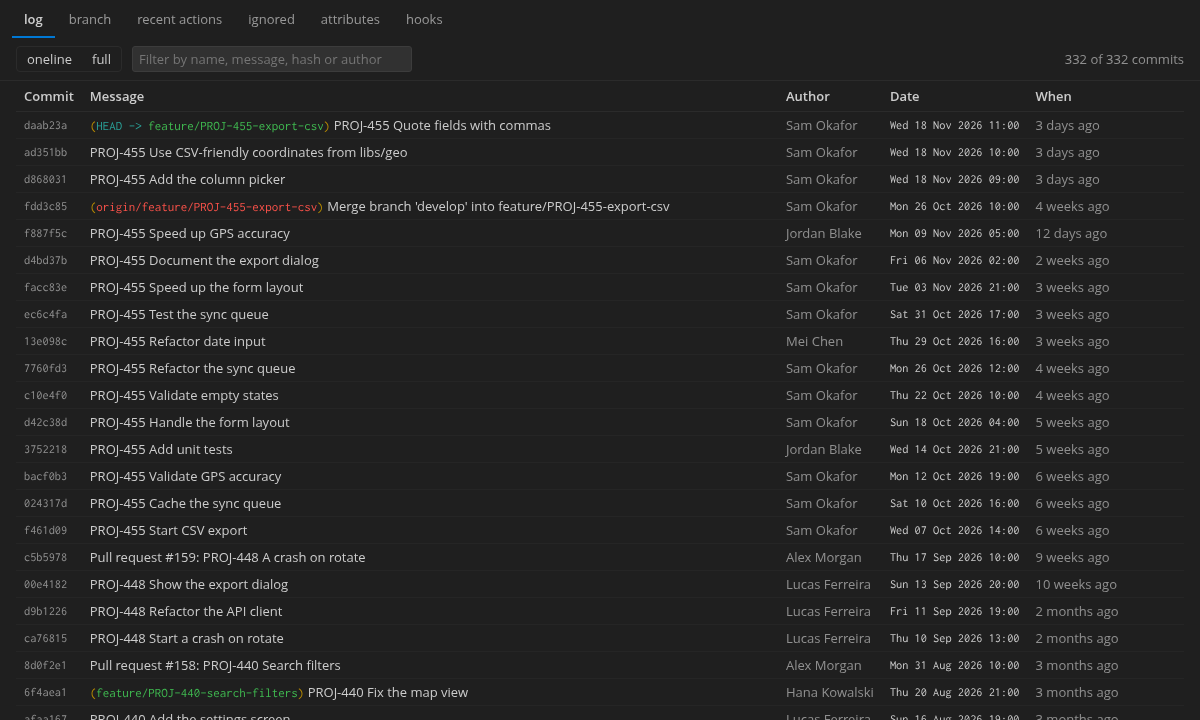
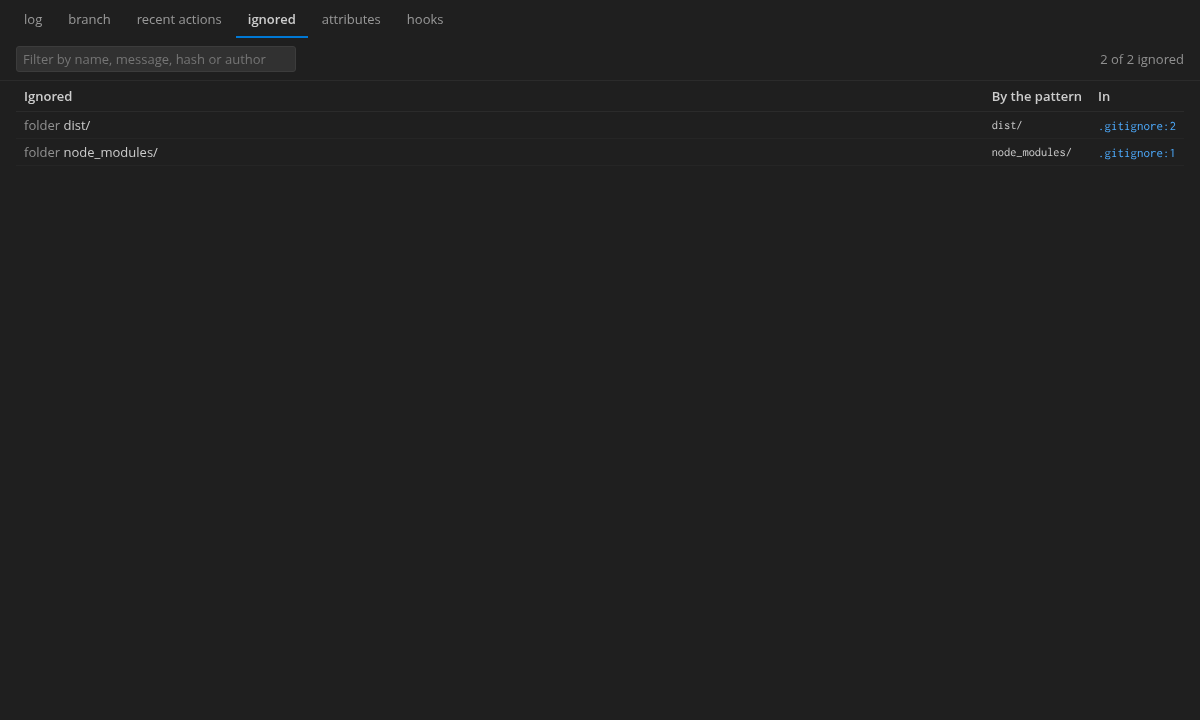
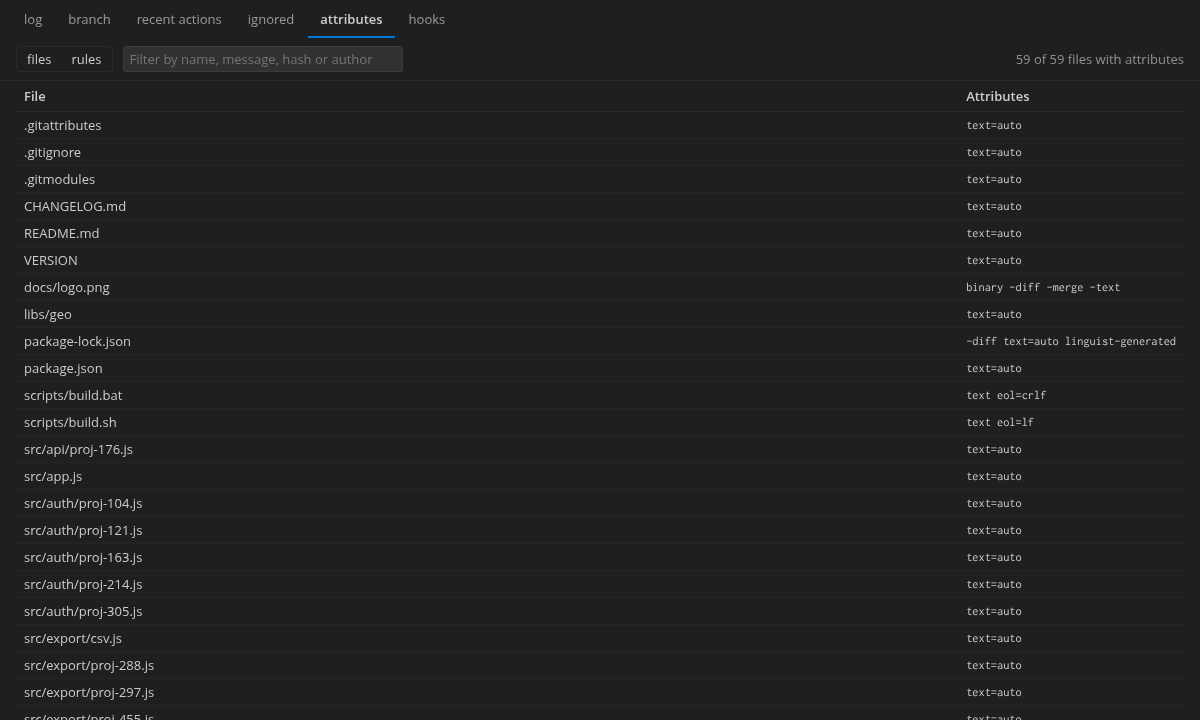
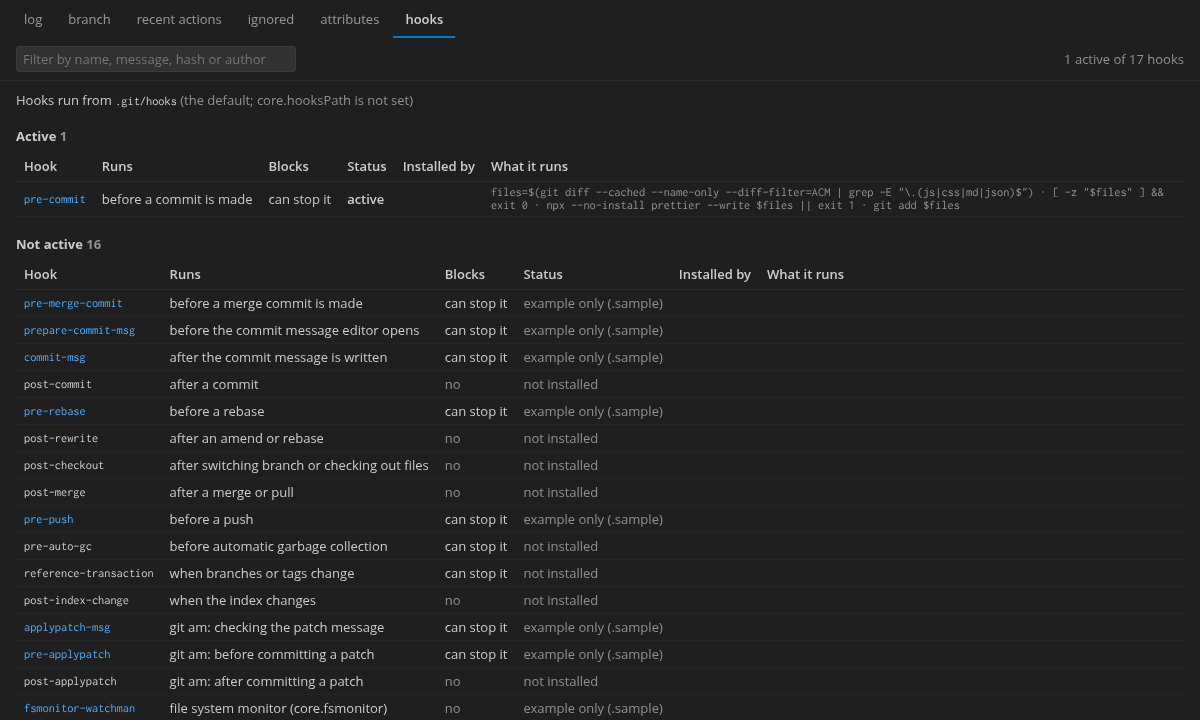
Shown with a demo repository.
Editors
Available
- Visual Studio Code
On the desktop, and over Remote SSH, WSL, Dev Containers and GitHub Codespaces.
On Open VSX
- Cursor
- Windsurf
- VSCodium
The same extension, on Open VSX, the registry these and other VS Code-based editors use: search "Branchflow" in their Extensions view.
Planned
- JetBrains IDEs
- Eclipse IDE
- Visual Studio
Including the embedded and vendor IDEs built on Eclipse. Plans can change: tell us which editor you use at support@coppersail.com.
Product names are trademarks of their owners. Coppersail isn't affiliated with or endorsed by them.
Changelog
1.1.0A new layout: Branch Status in the sidebar, the graph as an editor tab (vertical or horizontal, with the selected commit in full) and as a strip in the Panel; staged, working and remote changes drawn on the graph; Recent Branches, Stashes and Submodules; a Repository page with recent actions and Undo, the log, branches, ignored files, attributes and hooks. Mark a commit and compare it with any other, by right-click. Report an Issue from VS Code, with a reference to follow. The Changes sidebar is replaced by the commit details and Branch Status. Requires VS Code 1.90.1.0.2Unpushed commits drawn hollow on a dashed amber line, with LOCAL ↑N on a branch ahead of its remote; the remote position marked with a blue ring; full origin/ names on remote labels again; quicker start-up; at most three Git processes at a time, at lower priority; new icon; no red or pink lanes.1.0.1Much faster with large repositories: the Changes sidebar no longer reads big binaries (10 s to under 1 s on a real repository with committed builds), the all-commits view is up to 25× faster with long histories, and other extensions stay responsive while a large graph loads.1.0.0First Marketplace release: condensed graph, locked lanes, current branch highlighted, Changes sidebar, branch compare, hide branches sideways, filters and search, vertical or horizontal layout, quick to open on long histories, no telemetry.